Associate Hub
Enhancing the position management experience through a web application.
- Context
- Enterprise SaaS · Position management
- Role
- Product Designer
- Timeline
- Ongoing product area
- Tools
- Figma
The problem
While the organization already had a position management system in place, leaders faced challenges due to limited functionality. They needed enhanced features to access employee profiles, monitor recent activity and role access, update and manage positions more efficiently, and customize their experience through personalized settings.
Process
- 1Understand
- 2Design
- 3Research
- 4Design
- 5Launch
Goals
Goal
- Access employee profiles
- Monitor recent activity and role access
- Update and manage positions more efficiently
- Customize their experience through personalized settings
Design Solution
To address these challenges, we introduced the following enhancements:
Profile Page Enhancements
Displays employee details such as name, email, and phone number. Includes a recent activity log with key updates, a role access section to clarify and update user permissions, and a preferences panel for personalized settings.
Position Management Improvements
Added the ability to update position details, a commenting functionality for tracking changes and feedback, and clear status indicators for active, inactive, or archived positions.
Organizational View & Preferences Expansion
Introduced an interactive Org Tree with customizable views, adjustable zoom level for better visualization, and notification settings to tailor alert frequency and types.
Recent Activity in the User Profile
The profile page keeps recent updates front and center so leaders can quickly see what has changed across their team without digging through separate tools.
Outcome & Impact
The enhancements resulted in a 40% increase in efficiency when managing teams, allowing leaders to access and update employee and position information more quickly. Improved usability and a more intuitive interface led to higher adoption rates across the organization. Additionally, the introduction of a structured commenting system significantly reduced confusion regarding position updates, ensuring that all stakeholders had clear visibility into changes and decisions.
Next Steps & Future Enhancements
Moving forward, introducing AI-driven insights to help leaders track team performance and identify trends would be a great benefit to the users. Expanding the commenting functionality will enable richer collaboration, allowing for threaded discussions and tagging capabilities. Lastly, enhancing mobile accessibility will ensure that leaders can manage their teams and positions effectively, even when they are on the go.
the experience
Product screens
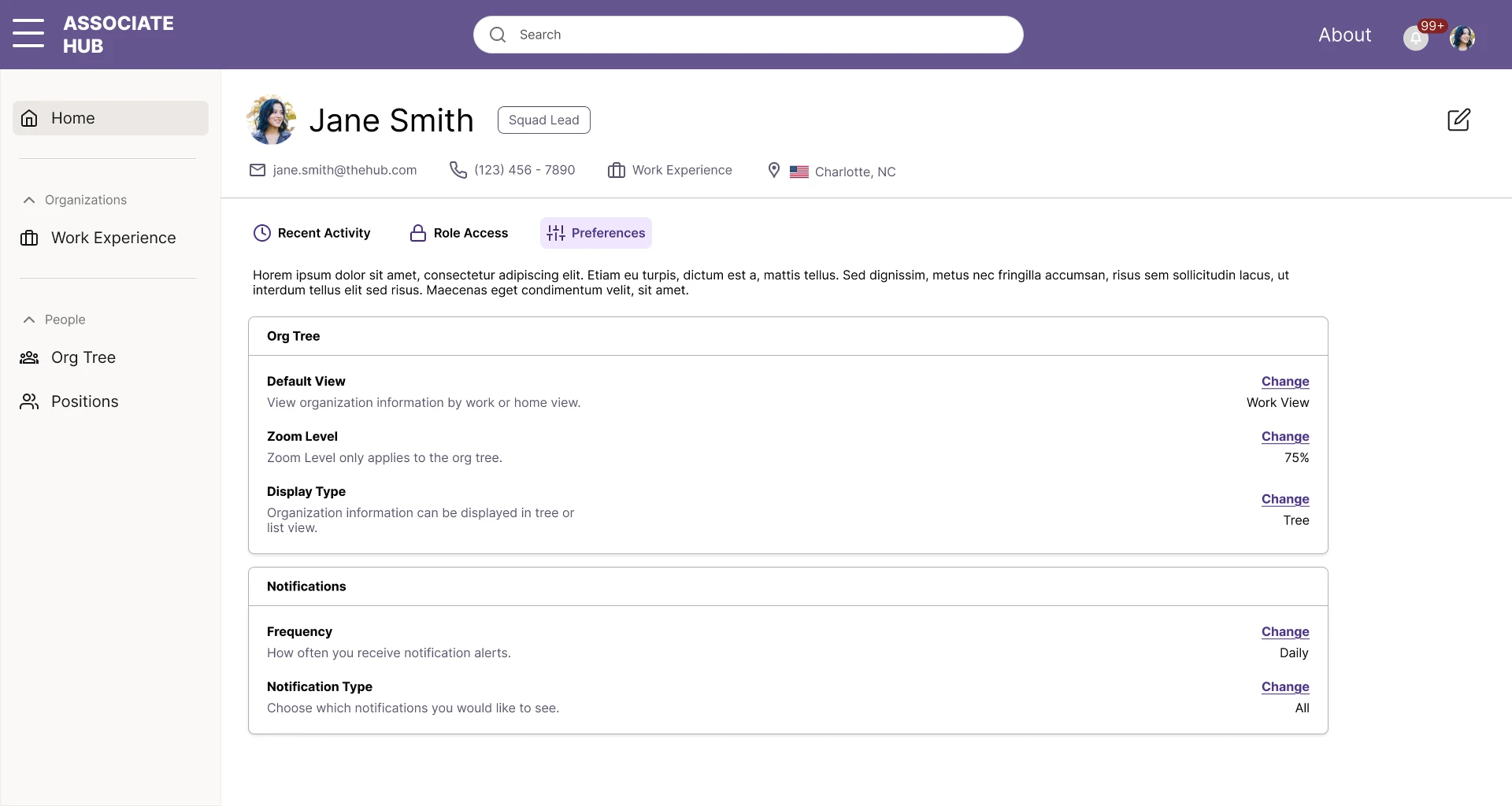
Home profile view
The profile page surfaces employee details, recent activity, role access, and preferences in one place.
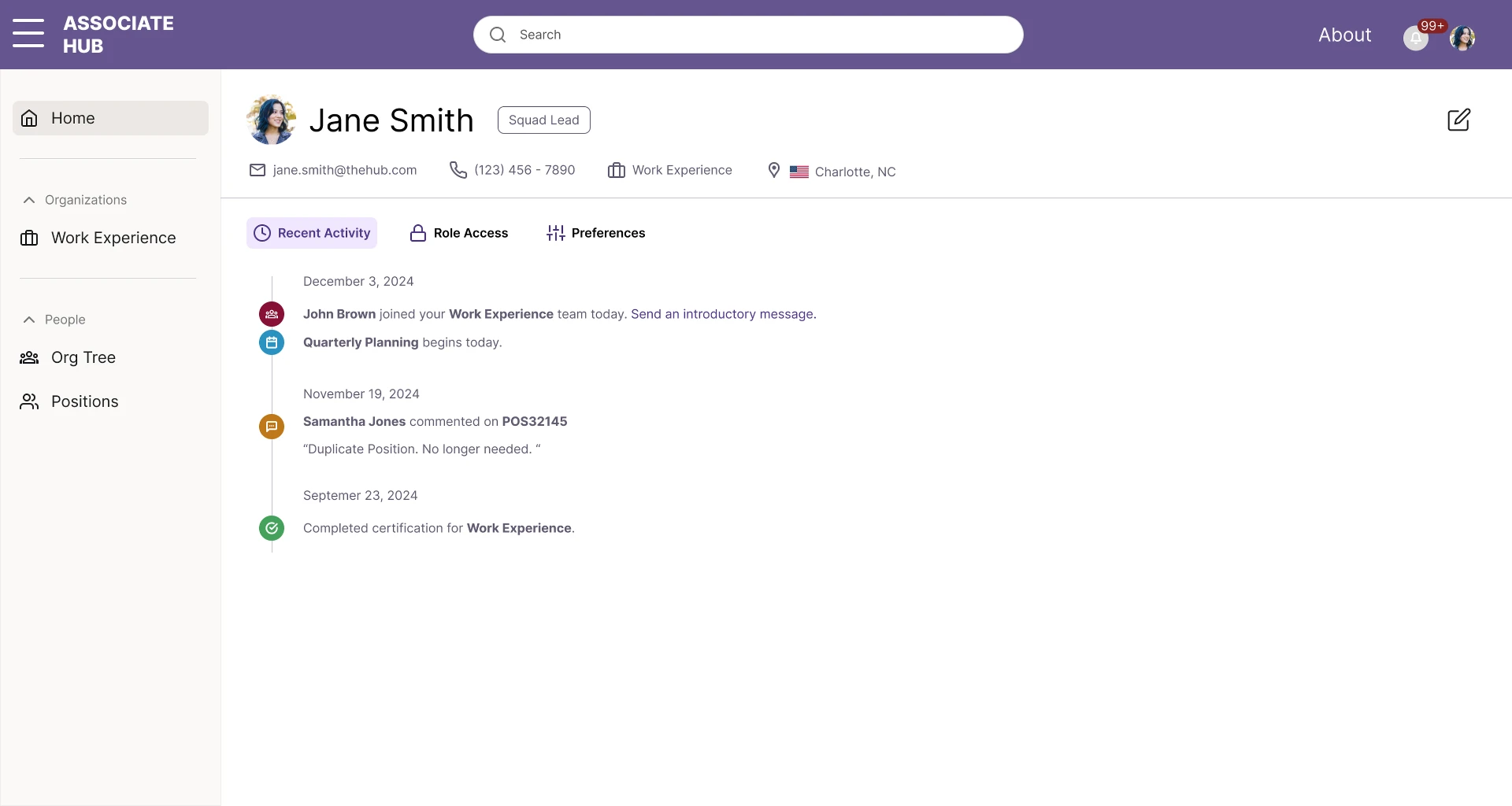
Recent Activity
A chronological feed of key updates helps leaders stay informed about team changes, comments, and completed certifications.
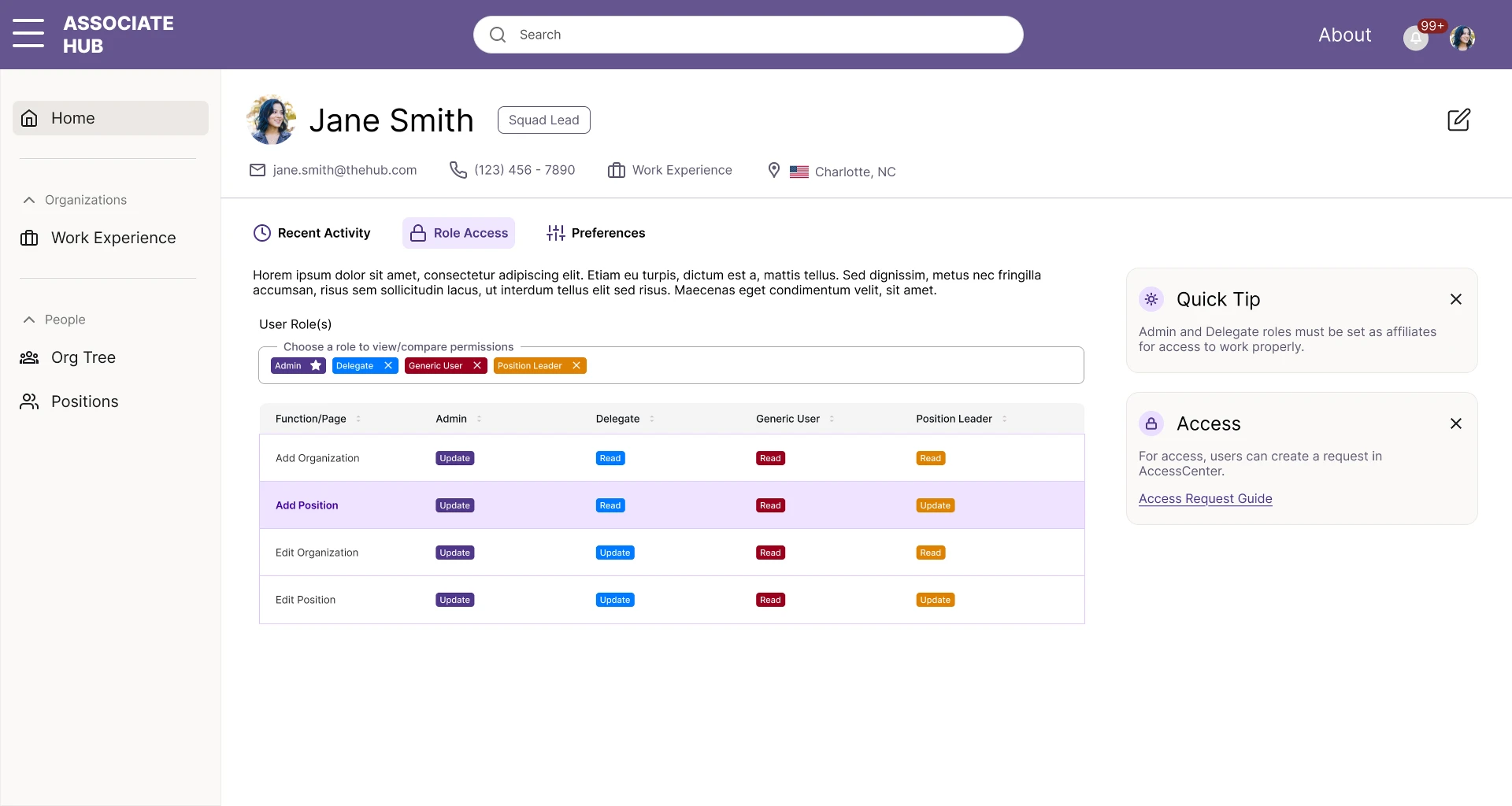
Role Access
The role access panel clarifies permissions across admin, delegate, generic user, and position leader roles.
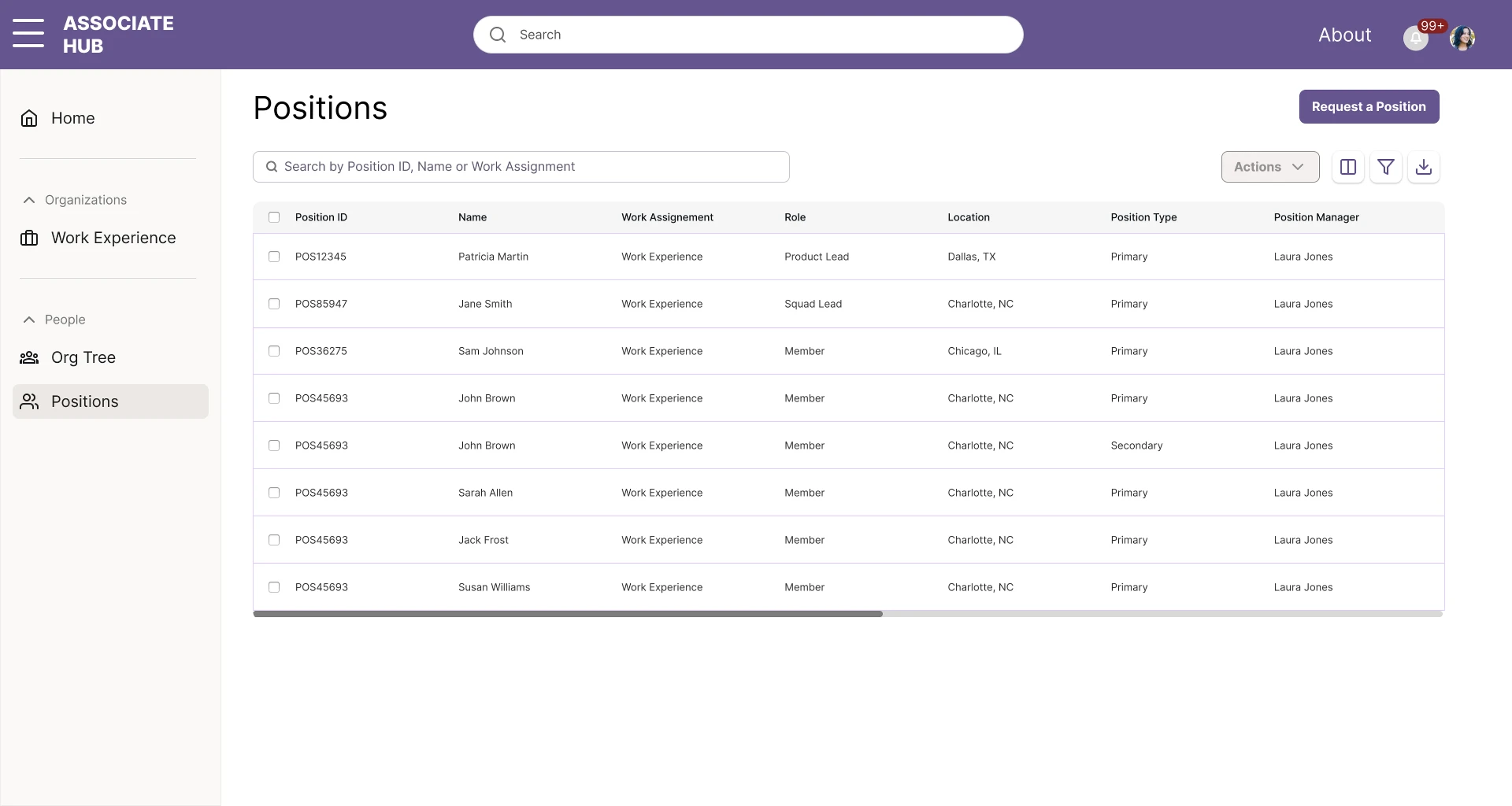
Positions list
A searchable positions table with clear columns, bulk actions, and a request workflow keeps position management efficient.
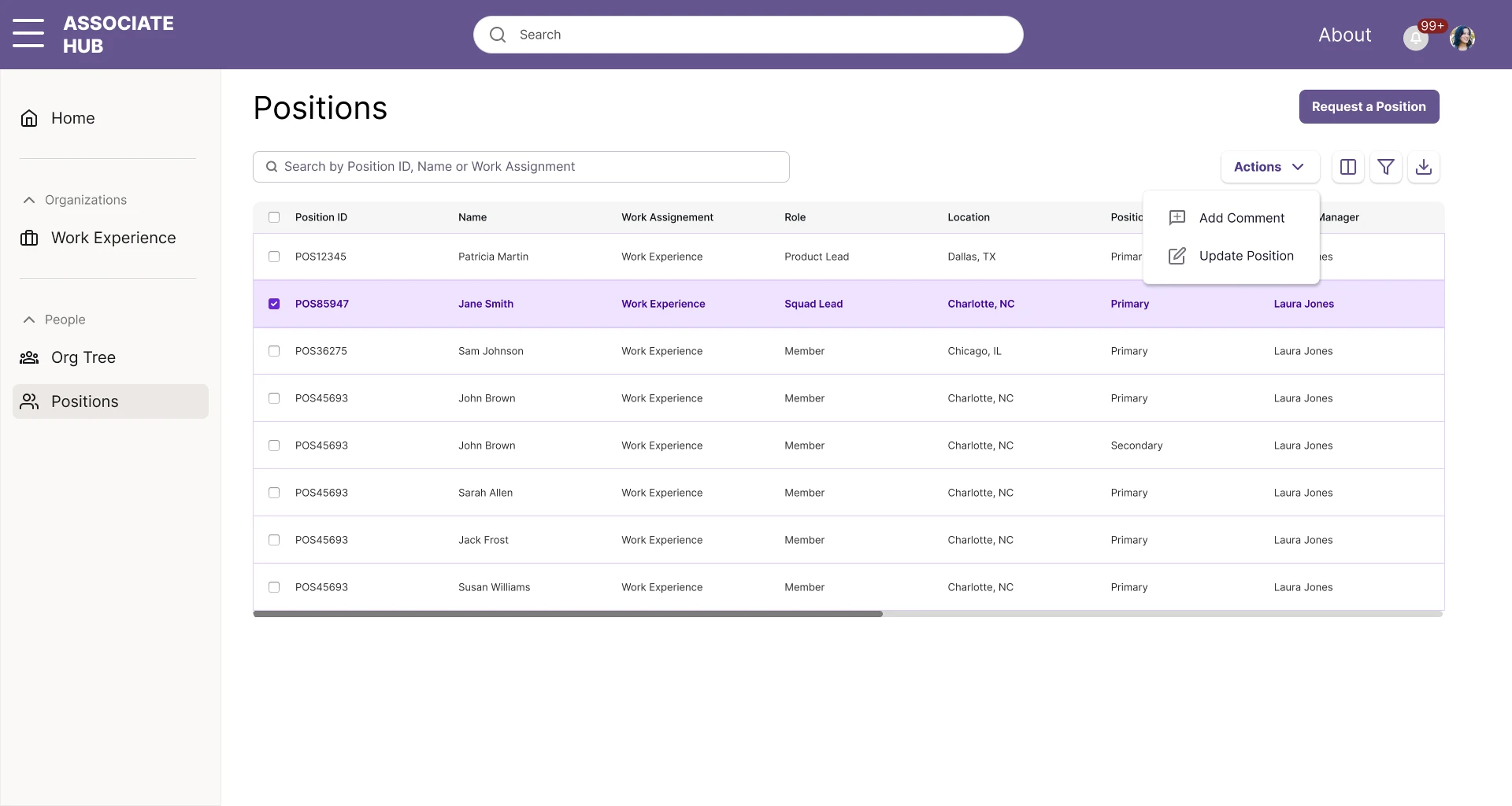
Position actions
Selecting a position reveals contextual actions like adding comments and updating details directly from the list.
see it in action
Walkthrough
What shipped
- 40% increase in efficiency when managing teams
- Higher adoption rates across the organization through improved usability
- Structured commenting system reduced confusion around position updates